| FAQ |
| Members List |
| Social Groups |
| Calendar |
| Search |
| Today's Posts |
 |
|


Menu
| Test & Tune Ask questions about the features and functions of the Forums. |


| Reply |
|
|
Thread Tools | Display Modes |
|
|
| Test & Tune Ask questions about the features and functions of the Forums. |
| Reply |
|
|
Thread Tools | Display Modes |
|
#1
 03-23-2024, 02:37 PM
|
|||
|
|||
 photo rotation
Somethings messed up the orientation on pics I posted.
How can they be fixed? It seems its inaccessible to members
__________________
Everything comes and goes Pleasure moves on too early And trouble leaves too slow |
|
#2
03-23-2024, 04:19 PM
|
||||
|
||||
|
Try croping the photo before posting. Reduce width or height.
__________________
Ed 1968 GTO (Thanks Mom) 2006 Silverado 2015 Chevy Express  2024 Cadillac LYRIQ 
|
|
#3
03-23-2024, 04:27 PM
|
||||
|
||||
|
Quote:
Just a tiny amount of editing the size prevents the forum software from turning them sideways. |
|
#4
03-23-2024, 08:11 PM
|
|||
|
|||
|
So how do you get a mod to rotate?
too late for an edit
__________________
Everything comes and goes Pleasure moves on too early And trouble leaves too slow |
|
#5
03-23-2024, 08:33 PM
|
||||
|
||||
|
I can’t edit your pictures in your post.
Just crop them and post them again. |
|
#6
03-25-2024, 04:29 PM
|
|||
|
|||
|
I see the mods arent even immune to the posting ills of this site
__________________
Everything comes and goes Pleasure moves on too early And trouble leaves too slow |
|
#7
12-02-2024, 10:12 PM
|
|||
|
|||
|
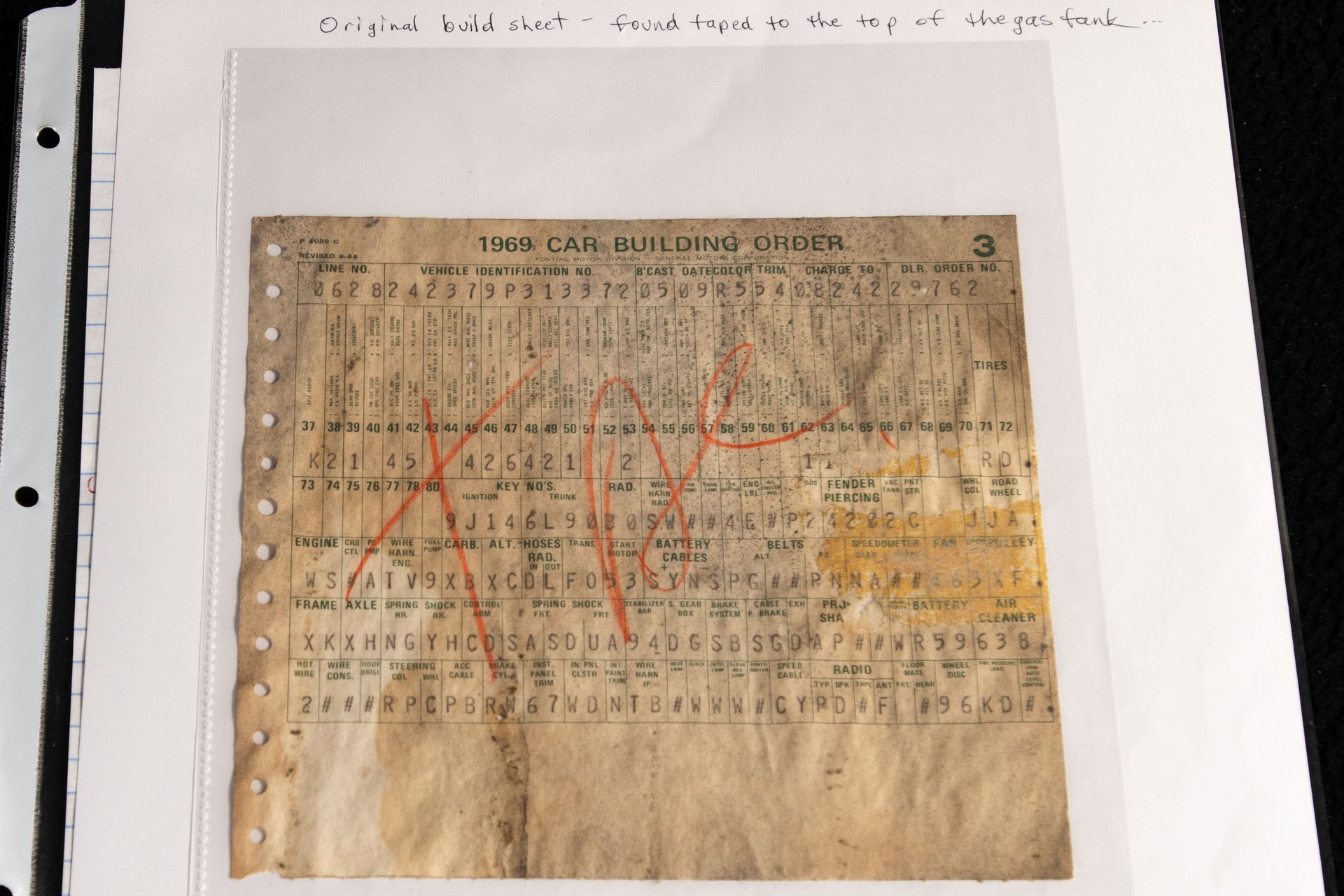
69 Judge
|
|
#8
12-02-2024, 10:35 PM
|
|||
|
|||
|
Bsheet
|
|
#9
12-03-2024, 08:07 AM
|
||||
|
||||
|
I open them in Paint. Then rotate them right, then left, or whatever works. Then save. Then post. Never tried cropping. I use rotate because they often need turned anyway.
|
| The Following User Says Thank You to JSchmitz For This Useful Post: | ||
|
#10
12-28-2024, 07:56 PM
|
||||
|
||||
|
Easy Way to Rotate Pics in Windows
Based on the provided search results, here are the easy ways to reorient pictures in Windows: Photos App: Right-click on the image, select “Open with” and then “Photos”. In the Photos app, click on “Edit & Create” at the top right corner, then select “Edit”. Use the “Rotate and Flip” button to rotate or flip the image as needed. File Explorer with Picture Tools: Select one or more image files in File Explorer, and then: Click the “Picture Tools” Manage tab in the ribbon. Click the “Rotate left” or “Rotate right” buttons until the image is oriented correctly. Alternatively, use the keyboard shortcuts: Alt + J to open the “Picture Tools” Manage tab, then R + L (rotate left) or R + R (rotate right) to rotate the image. Paint: Right-click on the image, select “Open with” and then “Paint”. Paint will automatically reorient the image to its correct orientation. Additionally, if you’re having trouble with profile pictures being uploaded the wrong way around, you can: Check Orientation in File Explorer: Enable the “Orientation” column in File Explorer by going to View > Add columns > Choose columns… and selecting Orientation. This will help you identify images that need to be rotated. Edit with Paint: Right-click on the image, select “Open with” and then “Paint”. Paint will automatically reorient the image to its correct orientation. These methods should help you easily reorient your pictures in Windows without needing external apps.
__________________
https://www.flickr.com/photos/197745168@N07/ "The biggest areas that have been a disaster moving from truth to subjectivity are academia (esp science), media, and law." |
|
#11
01-04-2025, 09:39 PM
|
|||
|
|||
|
rotate test
__________________
'68 GTO '69 Corvette '75 Cadillac Coupe Deville TOM |
|
#12
01-04-2025, 10:36 PM
|
||||
|
||||
|
Quote:
Seems weird but that's what I see.. So it seems you uploaded the image to the PY site in the correct orientation, yet the thumbnail displays wrong. ???????? |
|
#13
01-05-2025, 11:00 AM
|
|||
|
|||
|
If the site uploader was updated it would do it automatically.
Also with a new uploader, you can upload multiples by clicking on them, the admin needs to look into this. It’s usually free Same with the video uploader |
|
#14
03-27-2025, 04:52 PM
|
|||
|
|||
|
Test 1 2
|
|
#15
03-27-2025, 04:58 PM
|
|||
|
|||
|
and 3 4 5
|
|
#16
05-26-2025, 07:33 PM
|
|||
|
|||
|
ReTest
|
|
#17
05-27-2025, 01:46 AM
|
|||
|
|||
|
If you are using a phone to take pictures, the orientation of the phone will determine the orientation of the picture when loaded from the phone. With the shutter button on the right side of the phone the picture will be correct. If the shutter button is on the left side, when uploaded prom the phone the picture will be upside down. Button top or bottom the picture will be rotated 90*. I usually download to my laptop, make sure the orientation is correct, then upload. As others have said, use 'paint' for adjustments.
__________________
Frank M. 75 Firebird 68 Firebird 400 RAIII 66 Chevy II 461 Pontiac in AZ |
| The Following User Says Thank You to tooski For This Useful Post: | ||
|
#18
07-21-2025, 11:44 AM
|
|||
|
|||
|
abc
|
|
#19
07-22-2025, 05:14 PM
|
|||
|
|||
|
aAa
|
| Reply |
|
|
The PY Online Forums is the largest online gathering of Pontiac enthusiasts anywhere in the world. Founded in 1991, it was also the first online forum for people to gather and talk about their Pontiacs. Since then, it has become the mecca of Pontiac technical data and knowledge that no other place can surpass.







 Linear Mode

