Members Helping Members help Buying a non Pontiac item, transportation help, Handy-man advice, directions, vacation ideas, places to dine, ebay and generally anything you think might help other members.

          
Reply
 
Thread Tools Display Modes
  #1  
Old 12-10-2007, 01:40 PM
gman26 gman26 is offline
Chief Ponti-yacker
 
Join Date: Jul 2005
Location: socal
Posts: 705
Default How can I create a bootable floppy?

I looked online, all the instructions ask for files I cannot find on my other computer. I have a computer that will not get past any of the start-up options.

Just looking for a way to boot and do a chkdsk or scan disk on the C drive. Also, the drives are messed up on that computer.

  #2  
Old 12-10-2007, 02:01 PM
dm_fan's Avatar
dm_fan dm_fan is offline
Administrator
 
Join Date: May 2002
Location: Hatfield, PA
Posts: 1,194
Default

Probably your best bet is to go to a computer that is running and create the startup disk.

On a working computer, put a floppy disk in it's drive.
Open My Computer and Right Click the Floppy Disk (A drive.
Choose Format from the list that appears.
Check the Checkbox for Create an MS-DOS Startup Disk.
Then Click Start.

Steve

  #3  
Old 12-10-2007, 02:42 PM
Joe79 Joe79 is offline
Senior Member
 
Join Date: Feb 2002
Location: St. Louis, Mo
Posts: 113
Default Bootable media

You can also boot to a CD containing the operating system that your pc is running. Providing you have a CD-Rom, choose F10 at startup (depending on manufacturer of pc) and from the menu choose to boot from CD. Then choose to repair automatically or you can choose the recovery or repair console. From here you can run chkdsk or any number of utilities.

  #4  
Old 12-10-2007, 02:43 PM
gman26 gman26 is offline
Chief Ponti-yacker
 
Join Date: Jul 2005
Location: socal
Posts: 705
Default

That was the first thing I tried, however, after the computer boots, I cannot get to my C: drive. I tried this on a working computer, so I know the C drive is good. For some reason It won't let me see it and perform a check-disk.

  #5  
Old 12-10-2007, 03:03 PM
dm_fan's Avatar
dm_fan dm_fan is offline
Administrator
 
Join Date: May 2002
Location: Hatfield, PA
Posts: 1,194
Default

What do you mean when you say the drives are messed up on that computer?

When you start the computer, can you get into the bios (or startup menu)? Usually you get in by hitting F2 right after you turn the power on. In there, you should see if the hard drive is installed and recognised. If your harddrive doesn't show up in the disk drive list then it's time to open up the case and check connections.

  #6  
Old 12-10-2007, 03:07 PM
dm_fan's Avatar
dm_fan dm_fan is offline
Administrator
 
Join Date: May 2002
Location: Hatfield, PA
Posts: 1,194
Default

Quote:
I tried this on a working computer, so I know the C drive is good.
Does this mean that you removed the hard drive from your computer and installed it in a working computer? If so, you could have done a chkdsk from the working computer.

  #7  
Old 12-10-2007, 03:51 PM
cjwilson99 cjwilson99 is offline
Member
 
Join Date: Aug 2002
Location: Houston, TX
Posts: 32
Default

http://www.ultimatebootcd.com/

  #8  
Old 12-10-2007, 05:05 PM
65gto69's Avatar
65gto69 65gto69 is offline
Ultimate Warrior
 
Join Date: Jan 2002
Location: NE, PA
Posts: 1,729
Default

if you have a working computer, take the har drive that is messed up out of the not working comp. hook it up as a slave in the working comp.

you will be able to boot no problem, go to my computer icon, right click on the slave drive corresponding drive letter, go to properties, and do a check disk.

plus if thewre is anything wrong with the hard drive that can't be fixed, you have a chance to move the files from the bad drive to your good drive.

Mark

__________________
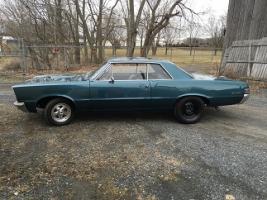
1965 GTO: 467 (Built By Dan Willever), 400 Block, Eagle 4.25 Stroke, Eagle 6.8 Rods, BRC Pistons, Custom Grind Hydraulic Roller Cam, Edelbrock 72cc Heads Ported, HS Rockers, Doug's Headers, Edelbrock Victor 4150, QTF 850 Carb, AutoGear M22 4 Speed, SPEC Clutch and Pressure Plate, 12 Bolt 3:73 Posi.
Reply


Posting Rules
You may not post new threads
You may not post replies
You may not post attachments
You may not edit your posts

BB code is On
Smilies are On
[IMG] code is On
HTML code is Off

Forum Jump


All times are GMT -4. The time now is 12:35 PM.


About Us

The PY Online Forums is the largest online gathering of Pontiac enthusiasts anywhere in the world. Founded in 1991, it was also the first online forum for people to gather and talk about their Pontiacs. Since then, it has become the mecca of Pontiac technical data and knowledge that no other place can surpass.


Copyright © 2017